

How memories work
Creating memories Memories can be added in two ways:- Automatically - Phoebe learns from your feedback and follow-up questions. For example, if you correct a data source or suggest a better investigation approach, Phoebe saves that as a memory
- Manually - add rules and context directly in the Memories page. You can also view, edit and delete Memories here
- Searching memories - Phoebe retrieves relevant context to enrich the investigation
- Saving memories - Phoebe stores new learnings from your feedback
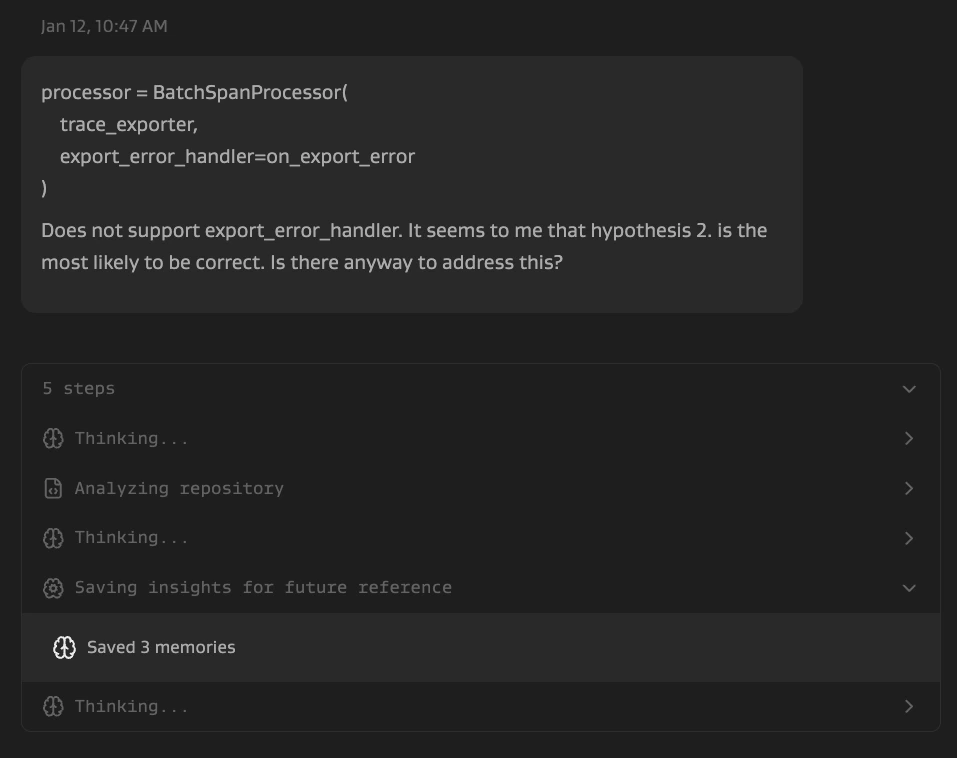
What memories look like
Memories are typically investigation guidance in the form of “when X, do Y”: Avoid false assumptions- “Don’t assume all performance issues are related to [service] just because the alert mentions it. Verify the actual integration by checking error messages and trace span names.”
- “When analyzing incidents with improved symptoms, don’t assume recent code changes without verifying deployments.”
- “When investigating connection pool timeout errors, look for blocking operations that PRECEDE the database errors by hours or days.”
- “When investigating container restart issues, verify which specific service is restarting before attributing root causes.”
- “For [metric name]: values are in SECONDS (not milliseconds).”
- “[service-a], [service-b], and [service-c] are separate services with separate containers and resources - don’t conflate issues across them.”
Memories apply to all investigations across your organisation.